My Dream Companion App Guide
- My Dream Companion is a web-based 18+ AI companion service; no official iOS or Android app exists.
- Only use www.mydreamcompanion.com in your browser for authentic access and updates.
- Some app stores list similarly named apps, but these are not official or linked to My Dream Companion.
My Dream Companion app: the short answer
If you are searching for an official My Dream Companion app, the key point is that the service does not have an official iOS or Android app to download. Instead, the creators run everything through the official website, which is fully accessible via web browsers on both mobile and desktop devices. This approach means you do not need to install any app or APK to access core features; you simply log in via your preferred browser. Here is a summary by platform:
| Platform | Official App Available? | How to Use |
|---|---|---|
| iOS (iPhone/iPad) | No | Browser (Safari/Chrome) at mydreamcompanion.com |
| Android devices | No | Browser (Chrome/Samsung Internet) at mydreamcompanion.com |
| APK download | No | Not supported |
| Desktop (Windows/Mac) | No app; browser only | Browser at mydreamcompanion.com |
If you see apps with similar names in app stores, these are not produced by Miracle AI UG, and only the browser-based service at the official site is recommended.
Watch out for fake My Dream Companion apps
It is surprisingly easy to find apps in popular stores labelled with names that closely resemble My Dream Companion, such as "Dream AI Companion" or "Dream Companions - AI Chat". However, these apps are made by unrelated developers and are not connected to the service reviewed here. Installing unofficial apps or APK files from third-party sites can put your privacy and device security at risk, as there is no guarantee over how your data will be handled or what else might be installed alongside. For genuine access and updates, always use the browser and the official site listed above. Tip: Only www.mydreamcompanion.com is the authorised website, and you should not enter your credentials or make payments elsewhere.
Phone privacy tips
- Use a private/incognito browser window if you want to avoid leaving traces on your device.
- Clear your browser history and cache regularly.
- Set a screen lock or biometrics for extra privacy.
- Consider disabling autofill or saved passwords on shared devices.
- Review and adjust browser notification and location permissions as needed.
The service bills under the name "Miracle AI" for discretion, but it is wise to check your bank statement for clarity and store payment records securely.
Mobile problems and fixes
- Try clearing your browser cache if pages do not load or media fails to play.
- Make sure your browser (Chrome, Safari, etc.) is up to date.
- Check your internet connection, as interruptions may disrupt chat or media.
- If you use a home screen shortcut, try removing and recreating it if the site fails to load.
- Some mobile browsers may restrict video or image playback; switching browsers can sometimes resolve this.
If problems continue, it is usually best to revisit the site in a different browser or restart your device before seeking further guidance.
What you need to run My Dream Companion
- A modern, up-to-date web browser (Safari, Chrome, Firefox, or similar).
- A stable internet connection for fast media and chat access.
- Sufficient free device storage for browser cache and media files.
- Mobile or desktop device with access to www.mydreamcompanion.com.
No app installation is required; all core services run in your browser.
Good to know
The official browser-based version of My Dream Companion does not support push notifications like a native app. You may receive browser notifications if enabled, but these can be inconsistent depending on your device and browser settings.
Yes, you can access all features of My Dream Companion directly through your web browser on mobile or desktop, with no app or APK download required.
Your account, chats, and creations are synced across devices since everything runs via the official website. Logging in through any browser—mobile or desktop—provides access to the same data.
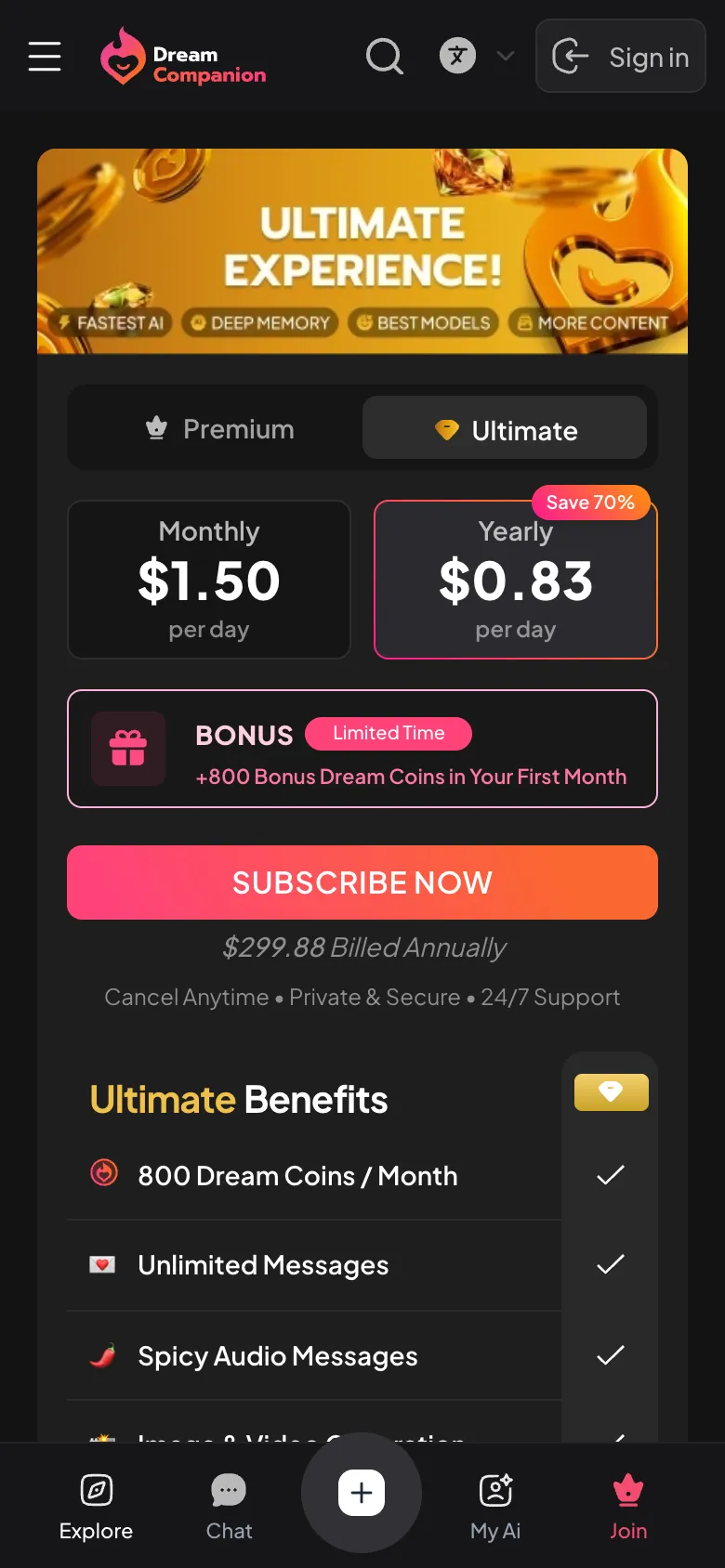
There is a free tier with core features. Paid plans, named Premium and Ultimate, unlock additional options. Payments are processed securely through PCI DSS compliant providers with "Miracle AI" as the charge name.
No official My Dream Companion app is available for Android. Only the browser-based version at www.mydreamcompanion.com is recommended; similarly named store apps are unrelated.